


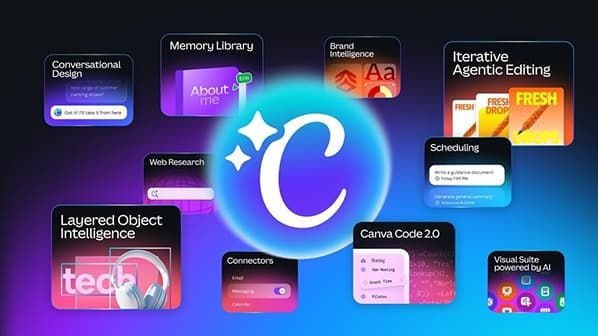
Modern professionals constantly juggle multiple software environments to complete simple projects. You might draft text in one window, source images in another, and finally piece everything together in a dedicated design program. Your productivity suffers because you have to switch tabs repeatedly which interrupts your creative work. The popular design platform has fundamentally solved this friction by embedding external productivity applications directly into its central interface. Users can now upload assets from their system without needing to store them on their internal storage first. The platform establishes digital connections that let you access resources, change your graphic designs, and share your completed materials from within the main canvas space. The interconnected system promotes efficient operation by reducing operational delays and decreasing cognitive load which users experience when they need to manage multiple software programs during peak work periods.
A Brief Guide to Construction Jobs
Accessing Remote Cloud Storage Files Instantly
Creating compelling visual content requires immediate access to company logos, archived photographs, and standardized typography files. You can connect your main cloud storage services to your design dashboard instead of searching through numerous desktop folders. Google Drive and Dropbox function as dedicated tabs which appear in the side panel menu. The side panel shows your active project together with the remote file hierarchy which you access by clicking these tabs. You can drag an image from your cloud repository and drop it onto your digital canvas. The reverse pipeline operates at the same level of efficiency as the forward pipeline when the design reaches its finished state. You can save the polished graphics directly back into specific cloud folders, ensuring that your extended marketing team always has instant access to the latest authorized materials.
Connecting Tasks To Visual Deliverables
The creative process requires project management tools for campaign tracking but these tools often create a separation from actual creative activities. The introduction of deep synchronization with task management software like Asana bridges this frustrating divide. The designer can start their work on the marketing director's promotional banner task through direct access to the assignment in the editing environment. They can view the specific creative brief, check required dimensions, and monitor the target deadline while actively placing text and images. The designer uses one click to connect the finished graphical asset with the original task card. This automated system creates direct project manager alerts which let them know when creative deliverables become available for review.
Streamlining Communication And Direct Publishing Systems
The value of finished designs exists only after they reach their designated audience or after corporate stakeholders grant final approval. The platform supports fast feedback processes through its strong connections to business messaging platforms which include Slack. You can push a completed presentation slide directly into a specific departmental channel, allowing colleagues to view the artwork and leave constructive comments without requiring them to create their own design accounts. You can send your newsletter graphics to your email campaign drafts through direct links which connect to your marketing services. Teams can now execute their marketing operations through a single interface which controls the entire process from brainstorming to digital distribution, achieving both speed and clarity.
Creating Dynamic Presentations Safely
You need secure spaces to make your final presentation. The software enables you to establish a direct link between your interface and existing corporate presentation centers. You can project your slides from the cloud without downloading large files which might not work on untested devices. Your custom typography and embedded multimedia elements will stay intact as the system delivers a complete professional experience to your boardroom audience.


Guess you like
-
Three Budget-Friendly Open-Source Replacements of My Purchased Apps
-

The Real Insurance Cost Battle: 2026 Toyota RAV4 vs Honda CR-V
-

The Most Useful Gadgets Spicing Up Every Beach Lover’s Experience This Summer
-

Unlock the Hidden Power of Google Earth: From Dullness to Engaged Exploration
-

A Smarter Way to Surf the Web with ChatGPT Atlas
-

How to Master Your Mac’s Multi-Monitor Experience
Trending
-
 1
1Six Hidden Features Transforming Your Opera Daily Browsing
-
 2
2Forza Horizon Six Welcomes Veteran Drivers With Elite Supercars
-
 3
3The Dawn Of DeepSeek V4: Reshaping The AI Landscape Against Industry Giants
-
 4
4Samsung Transforms OLED With Glasses Free Three Dimensional Technology
-
5
Unleashing Hidden Speed on Your Modern Sony Console
-
6
Canva Transforms Daily Workflows Through Seamless Connectivity